
What is JSON-LD?
JSON-LD (JSON for Linked Data) is a JSON-based format used to structure linked data. Its main advantage is that it is very easy to use and allows you to define the context of elements on a web page, as shown in the following example:
<script type="application/ld+json">
{
  "@context": "http://schema.org",
  "@type": "Person",
  "name": "Andres Parra",
  "jobTitle": "Software Engineer",
  "affiliation": "RPCIDE",
  "additionalName": "byandrev",
  "url": "https://byandrev.dev"
}
</script>
In the example above, we define a Person object with data that provides more information about that individual. By providing these structured data, we help search engines (like Google) better understand who the person is and what their role is.
When you search for someone on Google and see an information box on the right (Knowledge Panel), the search engine is likely using JSON-LD to extract and display that data in an organized way. For example:
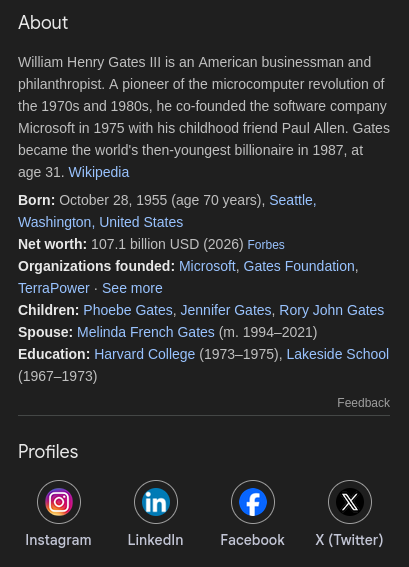
Bill Gates' Knowledge Panel
You can visit the JSON-LD Playground to learn about all the different types that exist, including:
- Person
- Event
- Product
Adding JSON-LD to our websites
JSON-LD can be placed anywhere in the HTML document, but the best practice is to place it inside the <head> tag.
<!DOCTYPE html>
<html lang="en">
<head>
  <meta charset="UTF-8">
  <title>Your Page Title</title>

  <script type="application/ld+json">
  {
    "@context": "https://schema.org",
    "@type": "WebSite",
    "url": "https://yourwebsite.com/",
    "name": "Your Site Name"
  }
  </script>
</head>
<body>
</body>
</html>
If you use modern frameworks or CMS, you don't have to write it by hand. For example, Next.js has a guide on how to implement JSON-LD: https://nextjs.org/docs/app/guides/json-ld.
Useful Tools
You can use the Rich Results Test (Google), which is ideal for checking if your JSON-LD will be generated correctly.
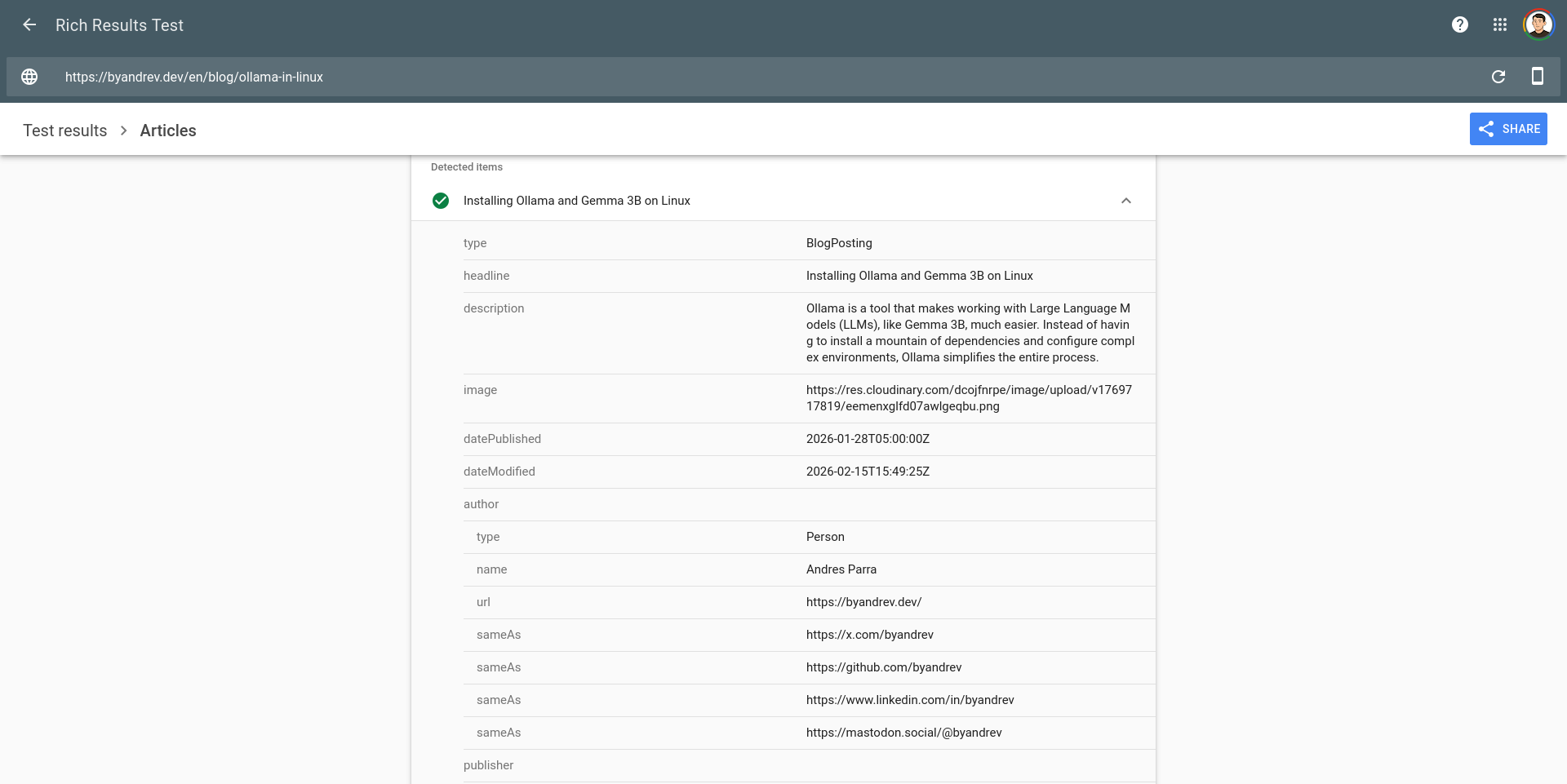
Analyzing my website with the Rich Results Test