AWS Lambda and API Gateway: Create Your First API (Console and CLI)
The commands in this post are bash. On Windows, use WSL, Git Bash, or CloudShell, which already comes with the CLI configured. In PowerShell, heredocs, single-quoted JSON, and
zipdo not work the same way.
Before you begin
If you are using your personal AWS account with an administrator user, skip this section. You already have everything you need.
If you are in a corporate, shared, or university account, this is where AccessDenied errors appear.
First, check which user you are authenticated as.
aws sts get-caller-identityThis tutorial touches on four services, and each one requires specific permissions:
| For | You need |
|---|---|
| Creating the execution role | IAMFullAccess |
| Creating and invoking the Lambda | AWSLambda_FullAccess |
| Creating the API | AmazonAPIGatewayAdministrator |
| Reading and deleting logs | CloudWatchLogsFullAccess |
These are AWS managed policies. Verify the exact names in your console before requesting them, as some have changed names over the years.
IAMFullAccess is a lot of power. Whoever has it can create whatever permissions they want, meaning that in practice, it is administrator access. It's fine for learning. For a production user, it is not.
Create the Lambda function
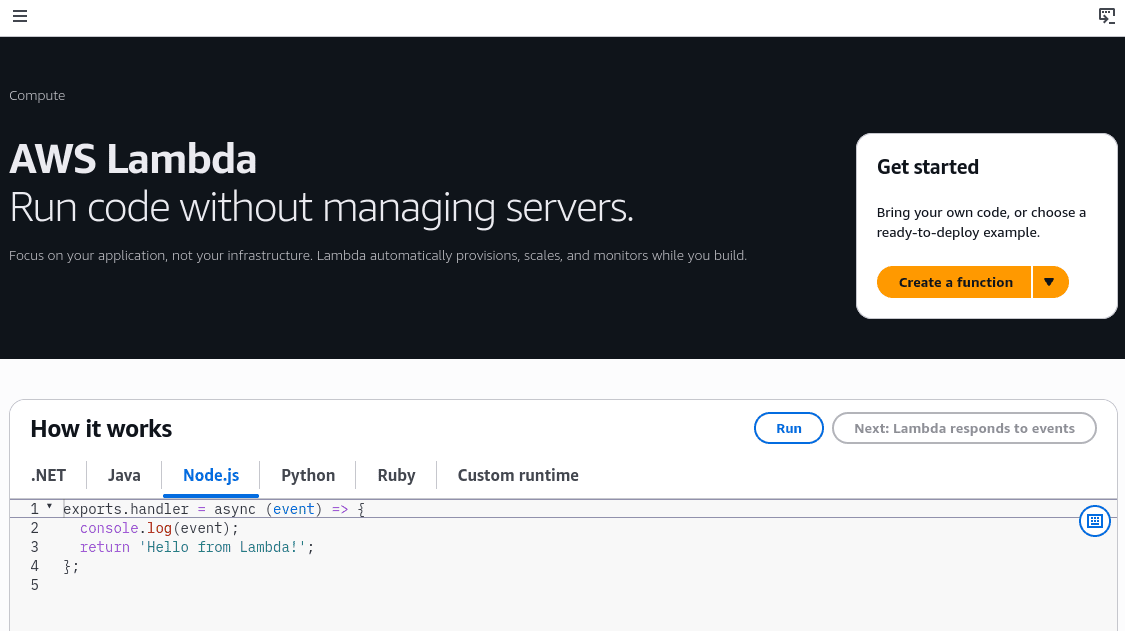
We need to go to the AWS Lambda service and create our first function.
We have 3 options:
- Author from scratch: Start with a "Hello World".
- Use a blueprint: A pre-established template or configuration.
- Container image: Using an image with the ECR service.
I will use the Author from scratch option to simply make a Hello World.
We choose a name for the function and the runtime, that is, the language it will run in. There are options like Node.js, Python, Java, Ruby, etc.
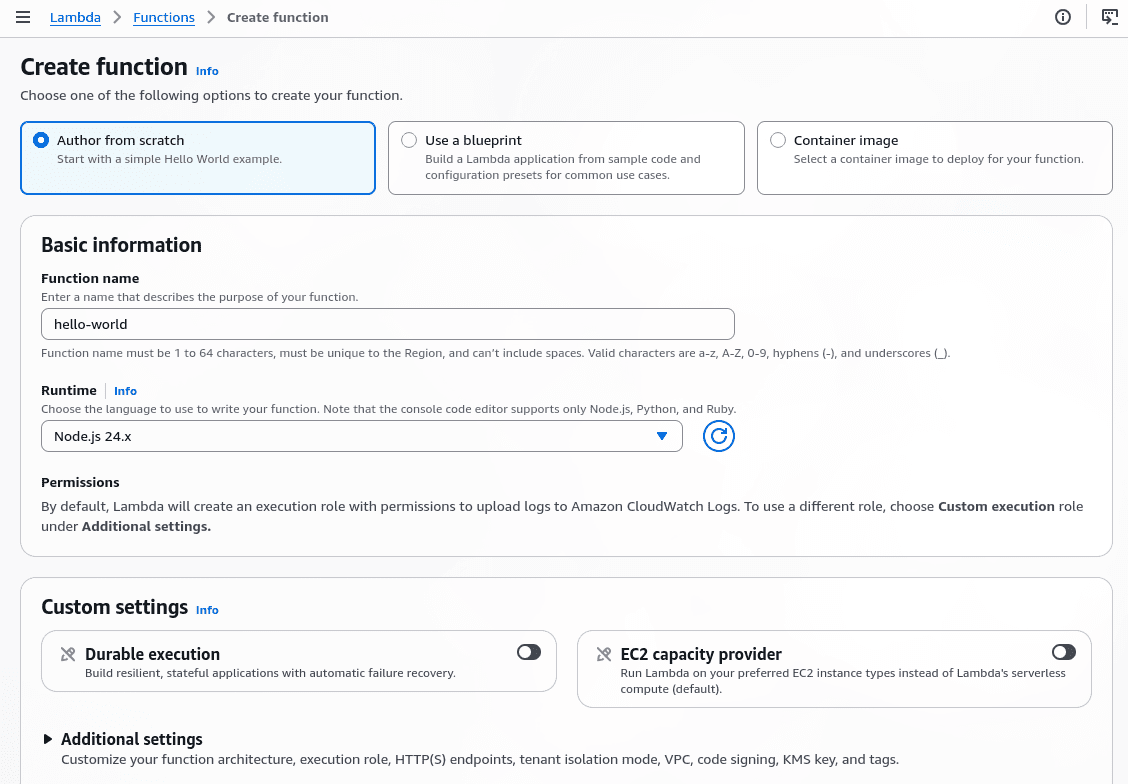
With this done, we can click on Create function. Once created, we will see the following tabs:
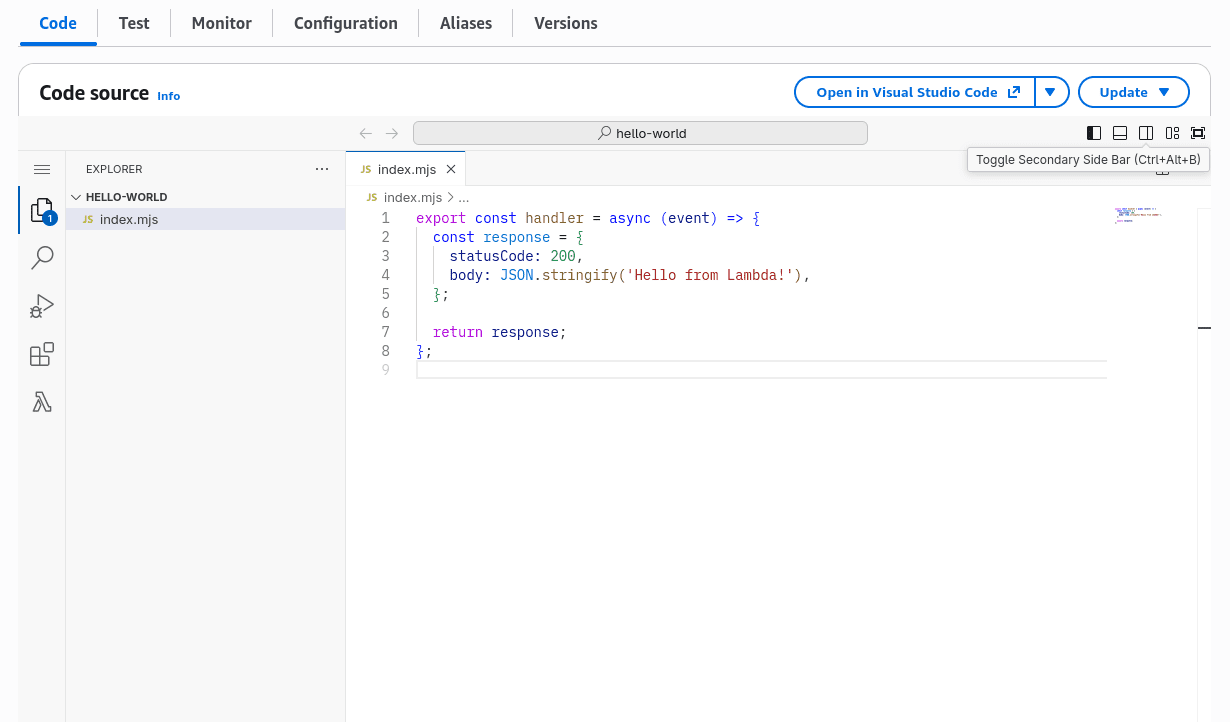
In the Code tab, we must write the code that will run every time the function is called. Keep in mind that Lambdas are billed for two things: the number of invocations and GB-seconds (duration × allocated memory).
The AWS Free Tier offers 1 million requests and 400,000 GB-seconds of compute time each month. AWS Lambda pricing.
The same with the AWS CLI
The console does one thing behind the scenes that the CLI does not, which is creating the execution role. So we start there.
# Save these values, we will use them in all commands

ACCOUNT_ID=$(aws sts get-caller-identity --query Account --output text)
REGION=$(aws configure get region || echo "$AWS_REGION")
Check that
ACCOUNT_IDand$REGIONare not empty.echo "$ACCOUNT_ID / $REGION". Keep in mind that all these commands go in the same terminal. If you close it, the variables are lost.
aws iam create-role \
  --role-name lambda-hello-role \
  --assume-role-policy-document '{
    "Version": "2012-10-17",
    "Statement": [{
      "Effect": "Allow",
      "Principal": { "Service": "lambda.amazonaws.com" },
      "Action": "sts:AssumeRole"
    }]
  }'

aws iam attach-role-policy \
  --role-name lambda-hello-role \
  --policy-arn arn:aws:iam::aws:policy/service-role/AWSLambdaBasicExecutionRole
If you get an
AccessDeniedwhen creating the role, it's not that the role doesn't exist: it's that your user doesn't have permission to create roles. The full message tells you which permission is missing (is not authorized to perform: iam:CreateRole). This happens a lot in corporate or shared accounts. You need IAM permissions, or for someone with administrator access to create the role for you.
That policy is what allows writing logs to CloudWatch. Without it, the function runs, but you won't see anything.
Create an index.mjs file with this content:
export const handler = async (event) => {
  return {
    statusCode: 200,
    body: "Hello from Lambda!",
  };
};
And package it with zip:
zip function.zip index.mjsaws lambda create-function \
--function-name hello-lambda \
--runtime nodejs22.x \
--handler index.handler \
--role arn:aws:iam::$ACCOUNT_ID:role/lambda-hello-role \
--zip-file fileb://function.zipIf the command fails with an invalid role error, wait a few seconds and repeat it. IAM can take time to propagate the role we just created.
And to test it, we must run the following command:
aws lambda invoke --function-name hello-lambda response.json
cat response.json
Available runtimes change and old ones get deprecated. Check which one is current before copying
nodejs22.x, you can see them in Lambda runtimes.
To upload code changes later:
zip function.zip index.mjs
aws lambda update-function-code \
  --function-name hello-lambda \
  --zip-file fileb://function.zip
Lambda Logs
To see how your Lambda is functioning, go to the Monitor tab. If you want to see the full logs, go to CloudWatch, where you can see every event that occurs, as you can see in this video:
The same with the AWS CLI
This command shows you the live logs without opening the console:
aws logs tail /aws/lambda/hello-lambda --followTo see only the recent ones:
aws logs tail /aws/lambda/hello-lambda --since 10mAPI Gateway
Now let's go to the API Gateway service and click on Create an API.
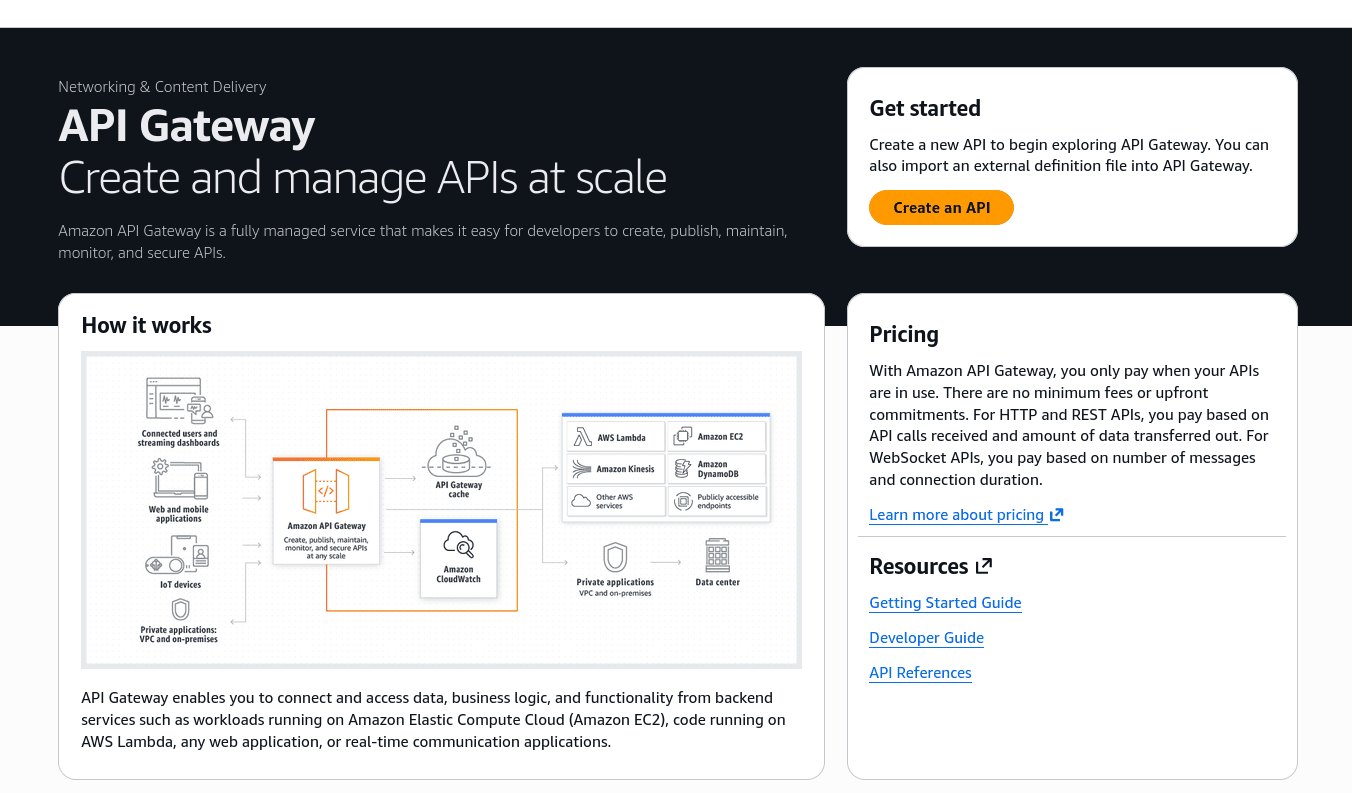
There are several types we can use:
- HTTP API
- WebSocket API
- REST API
- REST API Private
Use HTTP API, it's v2, simpler, and costs $1 per million requests compared to $3.50 for the REST API. Switch to REST API only if you need API keys, client throttling, WAF, or caching at the gateway. Verify prices in the docs before publishing, as the price also depends on the region and volume tier. I recommend you read Choose between REST APIs and HTTP APIs and Amazon API Gateway pricing.
Creating the API Gateway
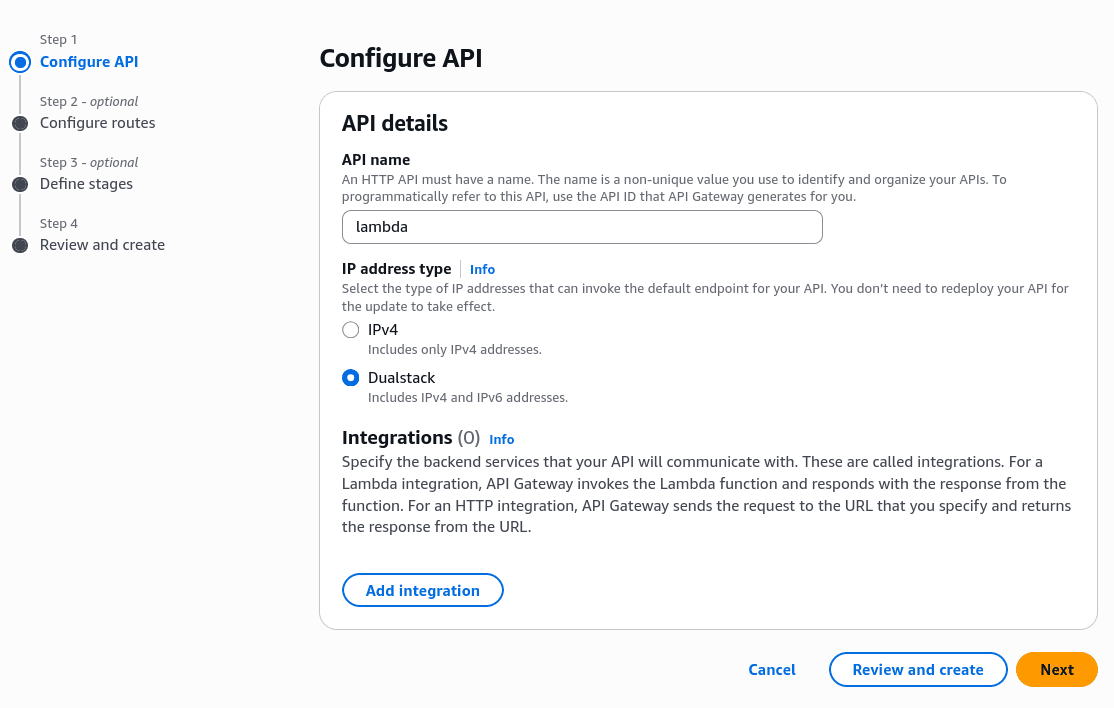
- We give it a name and the IP address type (IPv4 or Dualstack).
- We define a stage, for example, v1 or prod.
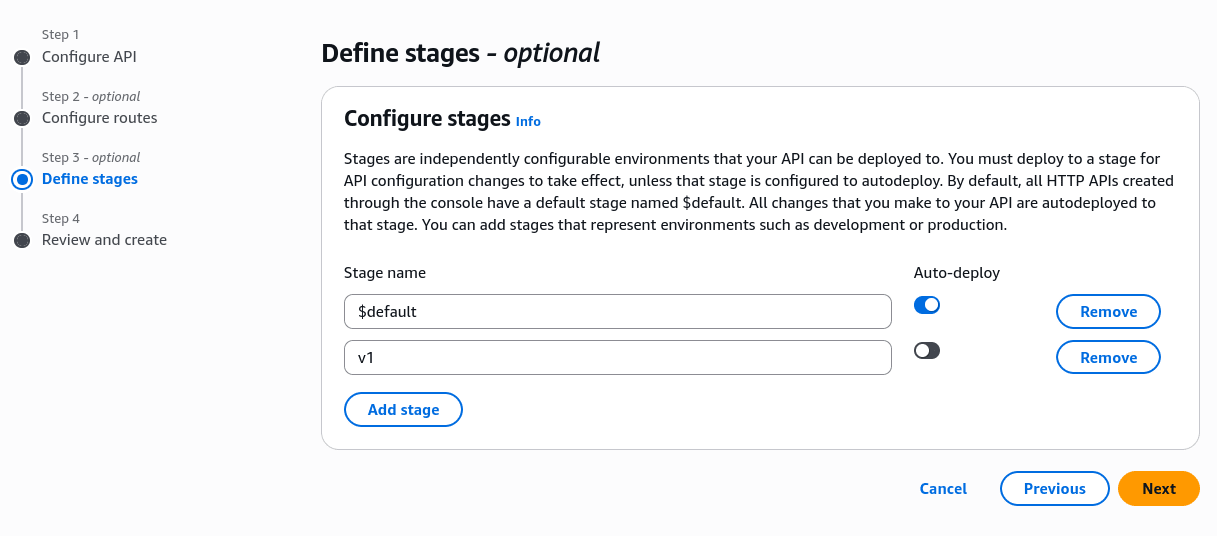
A stage is a named, deployed version of your API. Each one has its own URL (.../v1, .../prod), its own config (variables, logs, throttling), and points to a different deployment.
The same with the AWS CLI
Watch out for the subcommand: HTTP API is apigatewayv2, not apigateway. If you use the latter, you are creating a REST API.
API_ID=$(aws apigatewayv2 create-api \
  --name hello-api \
  --protocol-type HTTP \
  --query ApiId --output text)

echo $API_ID
The stage is not created automatically via CLI. You have to request it, and use --auto-deploy so you don't have to manually deploy every change:
aws apigatewayv2 create-stage \
  --api-id $API_ID \
  --stage-name v1 \
  --auto-deploy
Connect our Lambda
Now in the Routes section of the API Gateway, we create a route, for example, GET /hello.
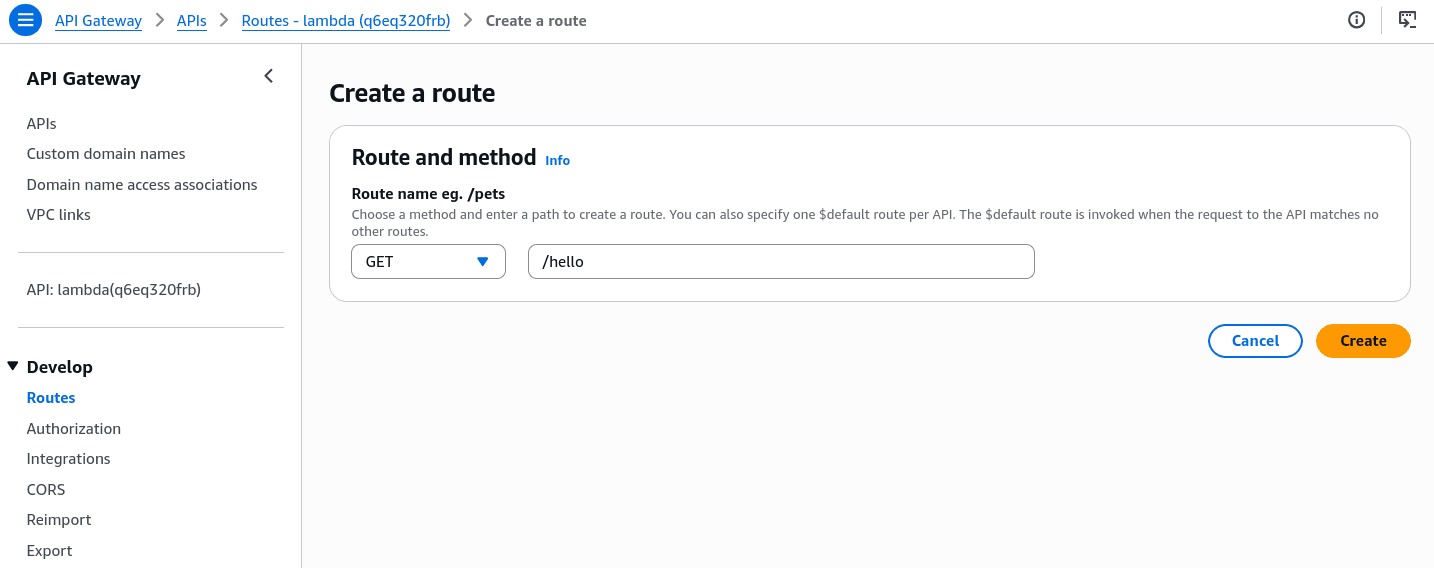
Once the route is created, we must connect it to our Lambda through Integrations. The integration is the backend resource that the route calls when it receives a request.
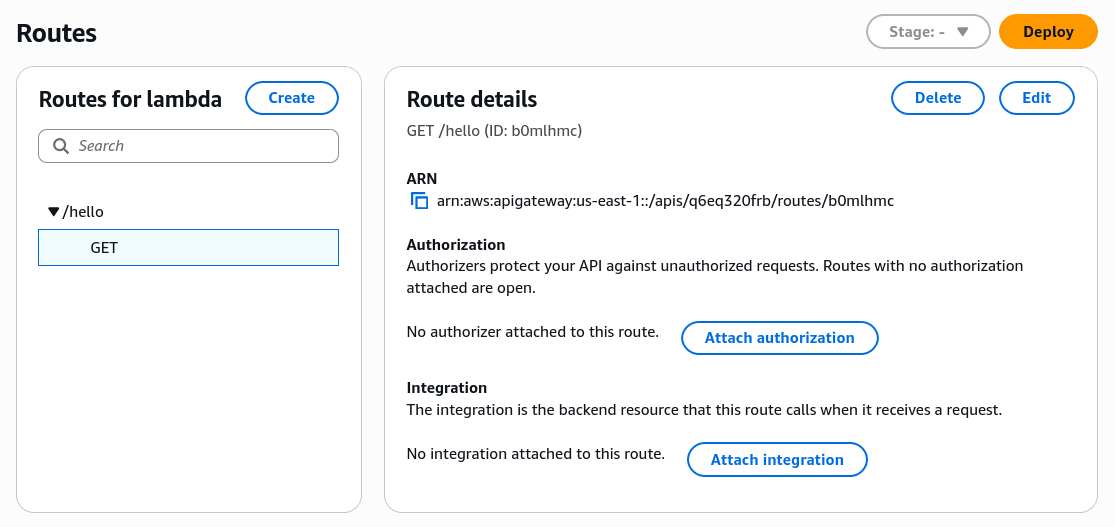
There are several integration options; in our case, we must select the Lambda Function.
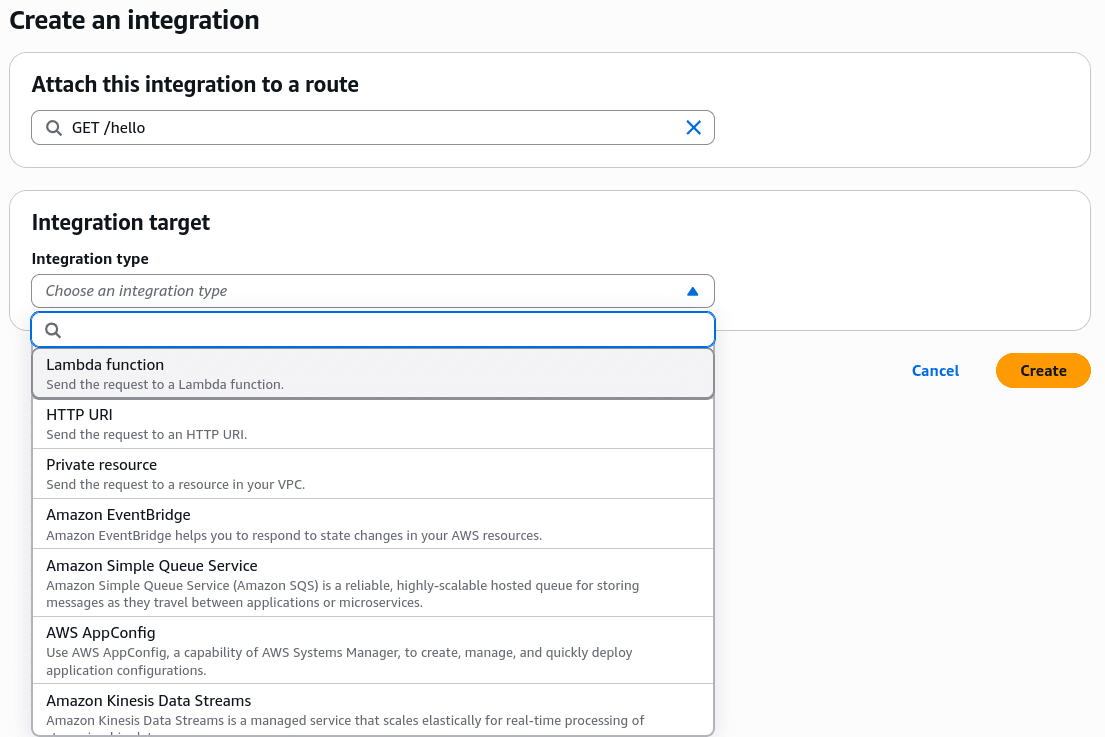
And all that's left is to select our Lambda and click create.
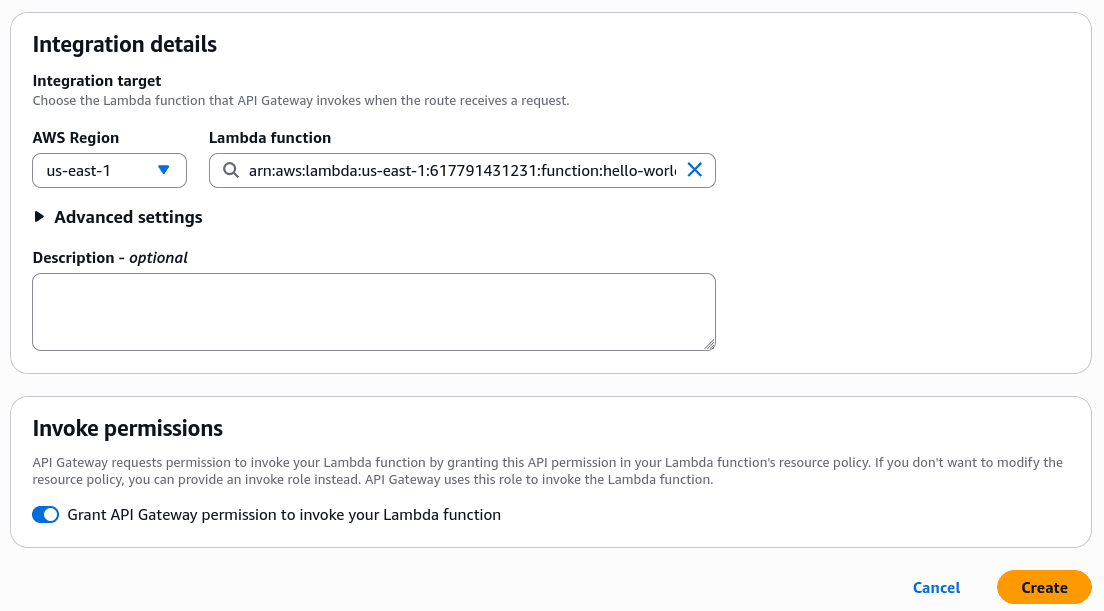
And that's it. Now, if we go to our /hello route, we will see the "Hello from Lambda!" that we had defined in our Lambda.
We can see the API Gateway URL in the left menu where it says API, or in the Stages section by selecting a stage.
The same with the AWS CLI
Here there are three commands, and the third one is the one everyone forgets.
First, the integration:
INTEGRATION_ID=$(aws apigatewayv2 create-integration \
  --api-id $API_ID \
  --integration-type AWS_PROXY \
  --integration-uri arn:aws:lambda:$REGION:$ACCOUNT_ID:function:hello-lambda \
  --payload-format-version 2.0 \
  --query IntegrationId --output text)
--payload-format-version 2.0 is not optional in practice. If you omit it, the CLI uses 1.0, and the event your Lambda receives has a different shape than what you see in the console.
Then the route, pointing to that integration:
aws apigatewayv2 create-route \
  --api-id $API_ID \
  --route-key "GET /hello" \
  --target integrations/$INTEGRATION_ID
And the permission. The console adds it automatically when you choose the Lambda from the dropdown; via CLI, it does not. If you skip it, the route responds with a 500 error and the Lambda logs are empty, because the Lambda never actually executed:
aws lambda add-permission \
  --function-name hello-lambda \
  --statement-id apigw-invoke-hello \
  --action lambda:InvokeFunction \
  --principal apigateway.amazonaws.com \
  --source-arn "arn:aws:execute-api:$REGION:$ACCOUNT_ID:$API_ID/*/GET/hello"
To get the URL and test:
ENDPOINT=$(aws apigatewayv2 get-api --api-id $API_ID \
  --query ApiEndpoint --output text)

curl $ENDPOINT/v1/hello
The /v1 is the name of the stage. If your stage is named $default, the URL goes without a prefix.
CORS
The curl works. But a fetch() from the browser does not.
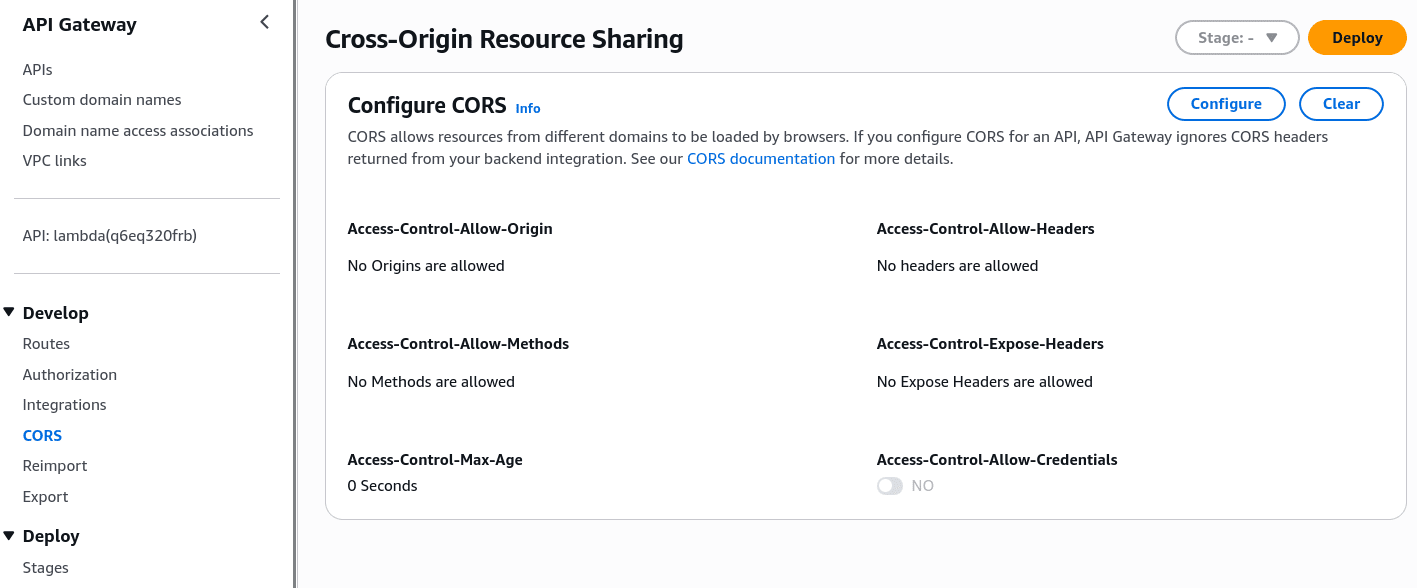
This is because API Gateway does not send CORS headers by default, so the browser blocks the response. The error you see in the browser console does not mention API Gateway, and that is where we waste time looking for the error.
In the console, it is in the left menu, in the CORS section of your API.
The same with the AWS CLI
aws apigatewayv2 update-api --api-id $API_ID \
  --cors-configuration AllowOrigins="*",AllowMethods="GET"
AllowOrigins="*" is fine for testing. In a real scenario, put your domain.
Clean up everything
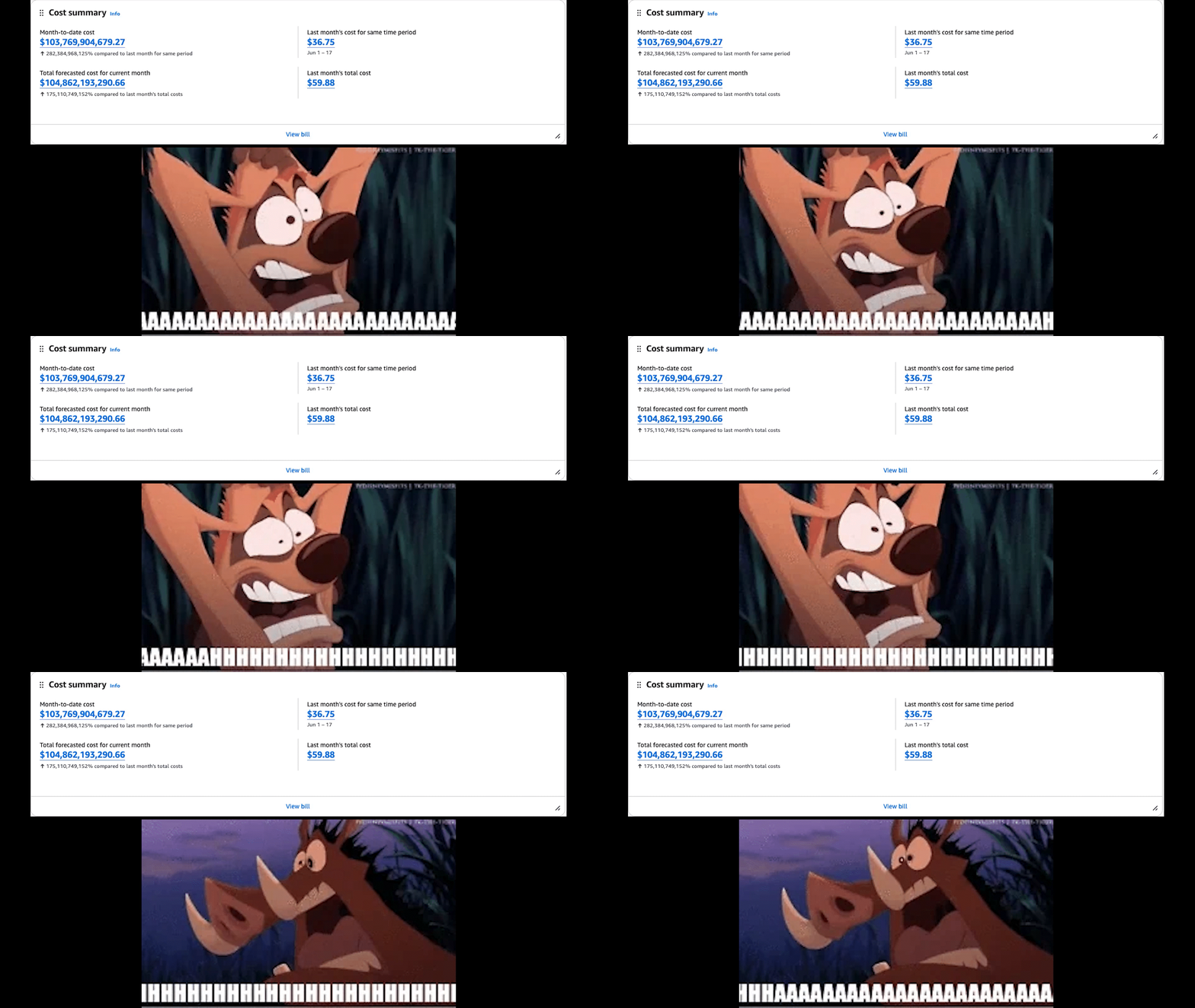
You just left a public URL, without authentication, that executes your code. Anyone who has it can invoke it. This post does not cover authentication, so the best thing to do is delete it.
Leaving it idle costs you nothing, but deleting what you no longer use is a habit I highly recommend.
The role will not be deleted as long as it has the policy attached.
aws apigatewayv2 delete-api --api-id $API_ID

aws lambda delete-function --function-name hello-lambda

aws iam detach-role-policy \
  --role-name lambda-hello-role \
  --policy-arn arn:aws:iam::aws:policy/service-role/AWSLambdaBasicExecutionRole

aws iam delete-role --role-name lambda-hello-role
One is missing. delete-function does not delete the logs, and the log group stays there:
aws logs delete-log-group --log-group-name /aws/lambda/hello-lambdaFrequently asked questions
Why is my Lambda slow the first time and fast after that?
That's a cold start. On the first call, Lambda has to download your code, start the runtime, and run everything outside the handler. After that it keeps the environment alive and reuses it, so the next calls skip all of it.
You can see it in the logs. The REPORT line shows Init Duration only on cold starts.
How do I install dependencies? There is no npm install in the console
Right, there isn't. The moment you need a package, you upload a zip.
Three options:
- Zip. Install locally, zip your code plus
node_modules, upload. Start here. - Layers. A separate zip you attach to the function. Useful when several functions share the same dependencies. Not worth it for one function.
- Container image. A Docker image in ECR. For heavy dependencies, like machine learning libraries.
My Lambda times out. What is the limit?
The default is 3 seconds. That's the one that catches everybody. The maximum is 15 minutes.
aws lambda update-function-configuration \
  --function-name hello-lambda \
  --timeout 30
Behind an HTTP API the real ceiling is lower. API Gateway closes the connection at 30 seconds and returns a 504, no matter what your Lambda timeout says. A REST API can go higher, but only regional and private ones, and you have to request it through Service Quotas. HTTP APIs cannot.
If you need more time, don't fight it. Answer 202 right away and do the work in the background.
How much memory should I set? Is more memory more expensive?
Memory also sets CPU. They move together and you cannot configure them separately. Around 1,769 MB you get one full vCPU. Below that, a fraction of one.
So more memory is not always more expensive. You pay GB-seconds, which is memory times duration. If doubling the memory makes the function finish in half the time, the bill is the same and the response is faster.
Comments