How to create a sitemap manually in Astro
Structure of a Sitemap
A sitemap is an XML file that lists all the URLs of a website’s pages within a domain. It helps web crawlers, like those used by DuckDuckGo, Google, Yahoo, etc., find and index these pages.
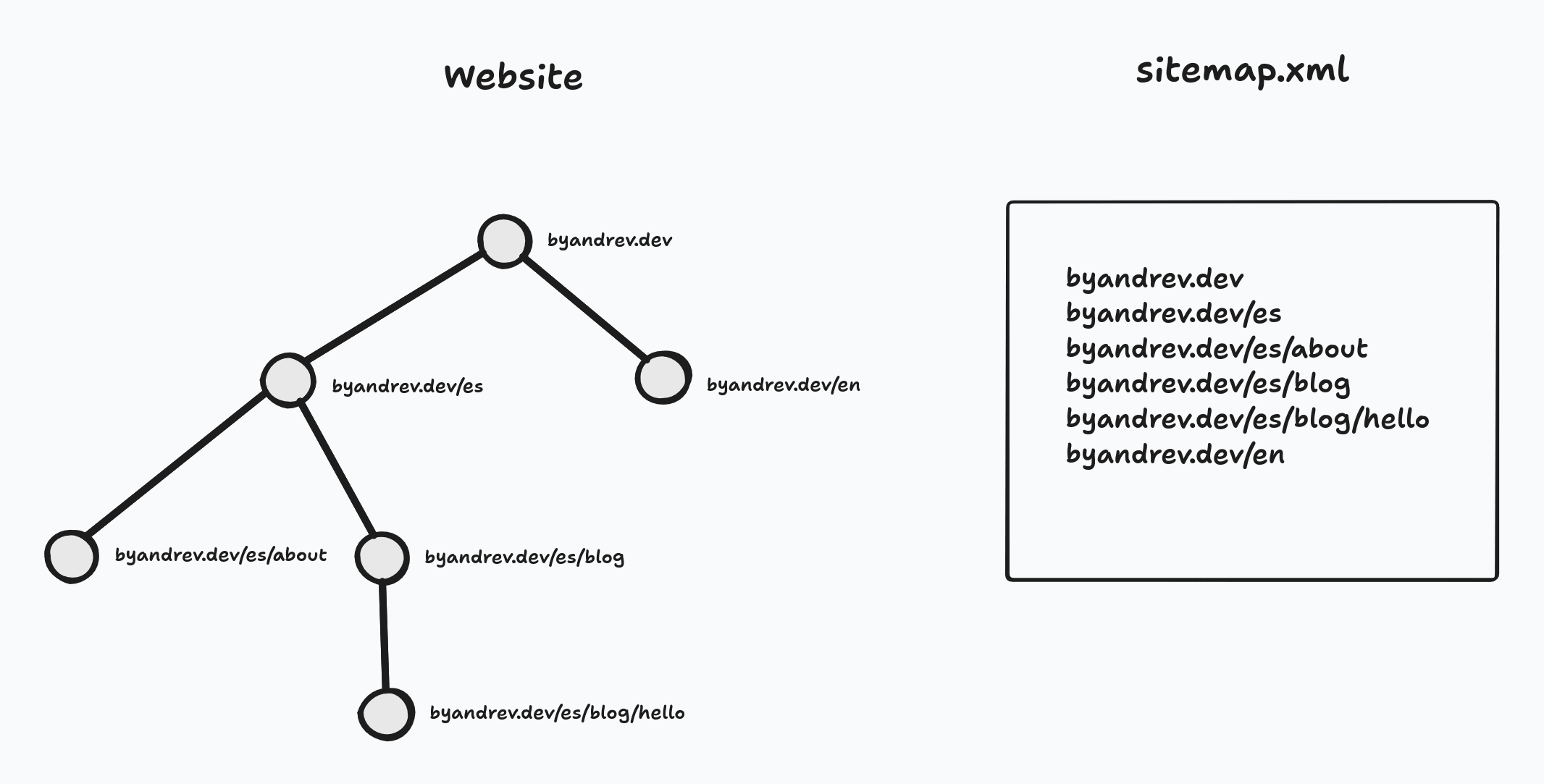
Website structure and its sitemap
<?xml version="1.0" encoding="UTF-8"?>
<urlset xmlns="http://www.sitemaps.org/schemas/sitemap/0.9">
    <url>
        <loc>http://www.yourdomain.com/</loc>
        <lastmod>2025-09-02</lastmod>
    </url>
</urlset>
In the sitemap structure, each URL must be placed inside a <url> tag. The page’s URL is defined in the <loc> tag, and the <lastmod> tag indicates the last time the page was updated.
Generating a Sitemap in Astro
To manually generate a sitemap in Astro, you need to create a file named sitemap.xml.ts or sitemap.xml.js and export a GET function like this:
export async function GET() {
  const siteUrl = import.meta.env.SITE;

  const result = `
  <?xml version="1.0" encoding="UTF-8"?>
  <urlset xmlns="http://www.sitemaps.org/schemas/sitemap/0.9">
    <url>
        <loc>${siteUrl}/</loc>
    </url>
  </urlset>
  `.trim();

  return new Response(result, {
    headers: {
      "Content-Type": "application/xml",
    },
  });
}
It’s also worth noting that Astro offers the @astrojs/sitemap integration, which automatically generates the sitemap. Manual sitemap generation is only necessary when dealing with SSR (server-side rendered) pages, requiring a custom sitemap.
Don’t forget to add the following link to the <head> section of all your pages to indicate the path to your sitemap.xml:
<link rel="sitemap" href="/sitemap.xml" />Now, let’s look at a more practical example. We’ll build a sitemap that includes the published articles of a blog.
import { getPosts } from "@/lib/posts";

export async function GET() {
  const siteUrl = import.meta.env.SITE;
  const posts = await getPosts();

  const result = `
  <?xml version="1.0" encoding="UTF-8"?>
  <urlset xmlns="http://www.sitemaps.org/schemas/sitemap/0.9">
      <url>
        <loc>${siteUrl}/</loc>
      </url>

    ${posts
      .map((post) => {
        const lastMod = post.updatedAt ?? post.createdAt;

        return `<url>
            <loc>${siteUrl}/blog/${post.slug}/</loc>
            <lastmod>${lastMod}</lastmod>
        </url>`;
      })
      .join("\n")}

  </urlset>
  `.trim();

  return new Response(result, {
    headers: {
      "Content-Type": "application/xml",
    },
  });
}
The code above will generate something like this:
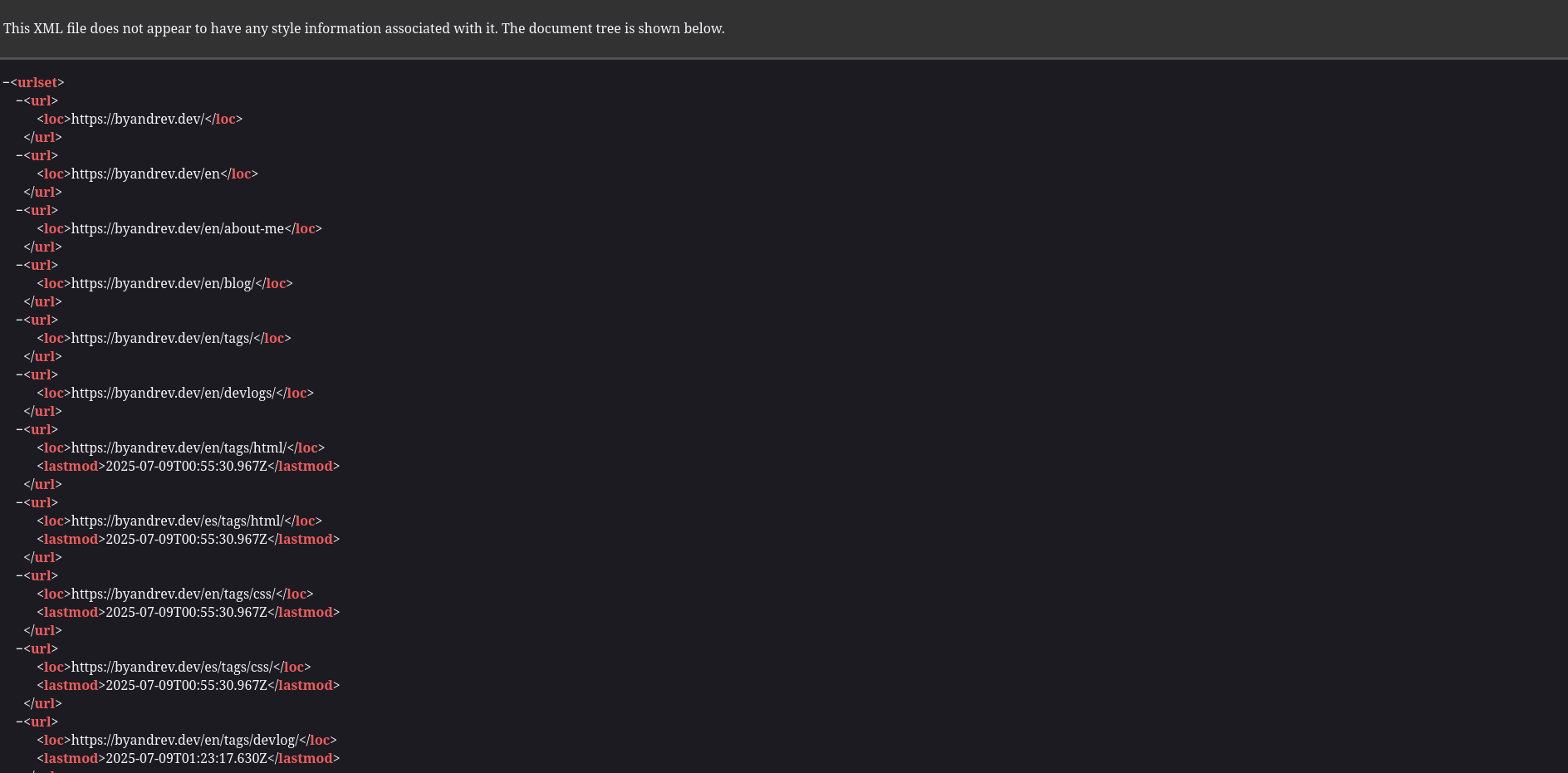
Example of a sitemap
References
Frequently asked questions
What is a sitemap for?
It's an XML file that lists all the URLs of a website. Web crawlers, like the ones search engines use, read it to find and index your pages.
Do I need to create a sitemap manually in Astro?
No, not by default. Astro has an official @astrojs/sitemap integration that generates it for you. Manual generation is only needed when you have SSR pages that require a custom, dynamic sitemap.
Where do I tell the browser or crawlers where my sitemap is?
Add <link rel="sitemap" href="/sitemap.xml" /> in the of your pages.
Comments