Installing Ollama and Gemma 3B on Linux
Think of it as a personal assistant for AI that allows you to:
- Download models: Ollama lets you quickly find and download pre-trained models.
- Hassle-free testing: It eliminates the need to set up complicated development environments.
1. Install Ollama
Run the following command in your terminal:
curl -fsSL https://ollama.com/install.sh | shVisit the official Ollama website for more information or to install it on a different operating system: https://ollama.com/download
2. Install a model in Ollama
Ollama has a library where you can browse available models at https://ollama.com/search. In this example, I will install Gemma 3, a model capable of running even on a single CPU.
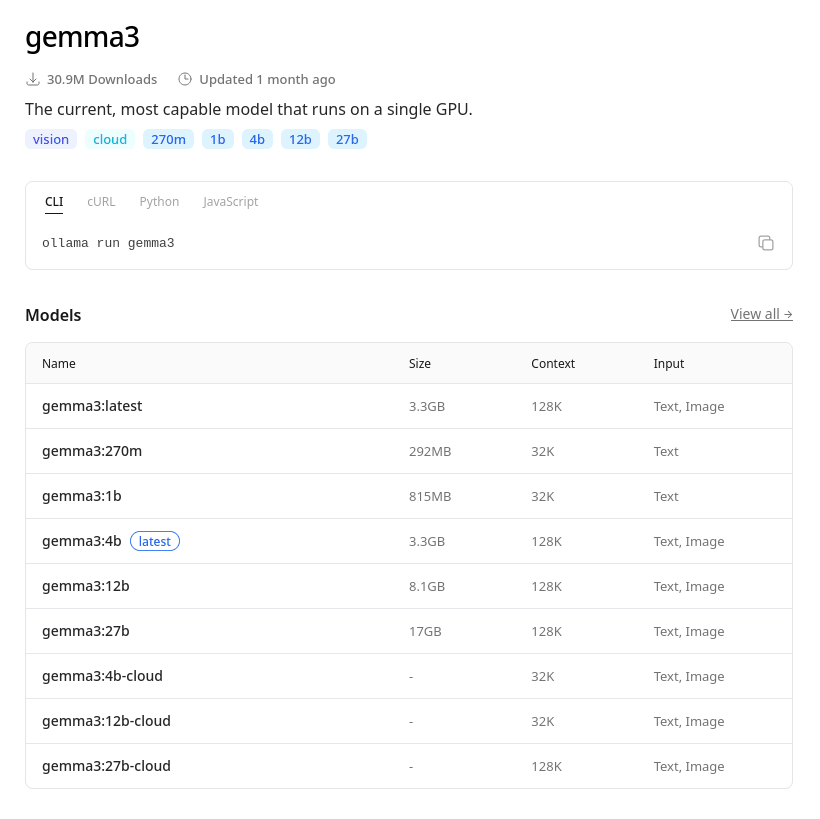
Execute the following command in your terminal:
ollama run gemma3:1b The text after the colon (":") specifies the exact version, as models can have different variations based on size, context window, supported inputs, etc.
Why use the 1B version?
Mainly for two reasons:
- Minimal RAM usage: It only requires about 1.5 GB to 2 GB of RAM.
- Instant speed: It is ideal for tasks where the response needs to be immediate.
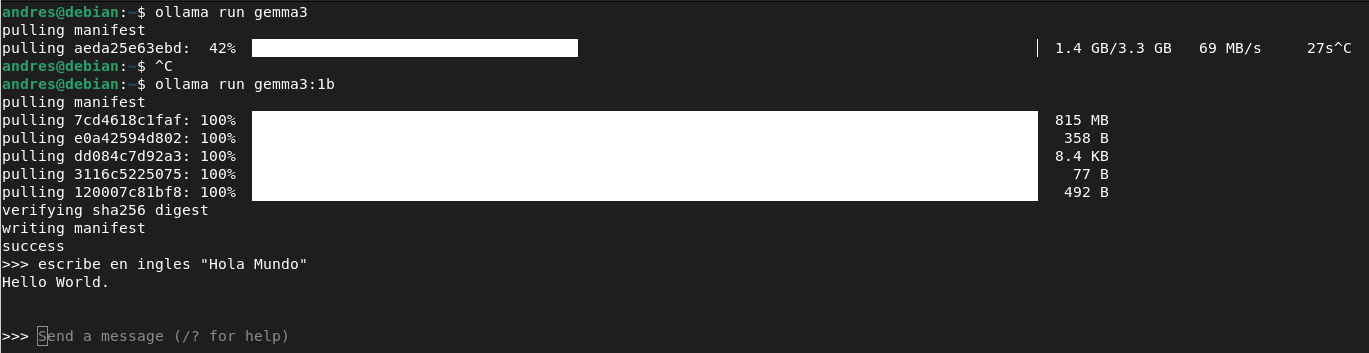
3. Enter your prompt
Type your prompt, and the Ollama terminal will display the generated text.
Links
- Ollama: https://ollama.com/
- Gemma3B: https://deepmind.google/models/gemma/gemma-3/
- Ollama Docs: https://docs.ollama.app/
Frequently asked questions
How do you install Ollama and run a local AI model?
Install Ollama with curl -fsSL https://ollama.com/install.sh | sh, then run a model with a command like ollama run gemma3:1b, no need to set up a complicated development environment.
Why use the 1B version of Gemma 3 instead of a larger model?
The 1B version needs only about 1.5–2 GB of RAM and responds almost instantly, making it ideal for lightweight tasks where speed matters more than maximum capability, and it can even run on a single CPU.
Where can you find and download AI models for Ollama?
Browse Ollama's model library at ollama.com/search, then pull a specific version using ollama run modelname:tag, where the tag after the colon specifies size, context window, and other variations.
Comments